Module 3 — Literature Review
Generate structured review content based on a mind map strategy of your selected topics and cascading ideas. Link excerpts to write your content and beat plagiarism and AI writen content. Manage all sections and paragraphs with related contents through the Literature Map which shows all content and its related references. Organise your ideas and references into coherent paragraphs. Generate literature review content efficiently while maintaining academic style.
Literature Review - Gap Analysis
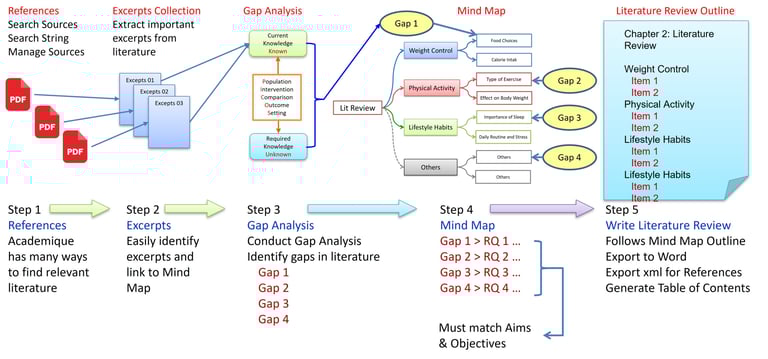
Academique has an elegant way to conduct and write Literature Review.
Gather References
Identify Excerpts
Conduct Gap Analysis
Create a Mind Map
Write Literature Review
Literature Review - Critical Analysis
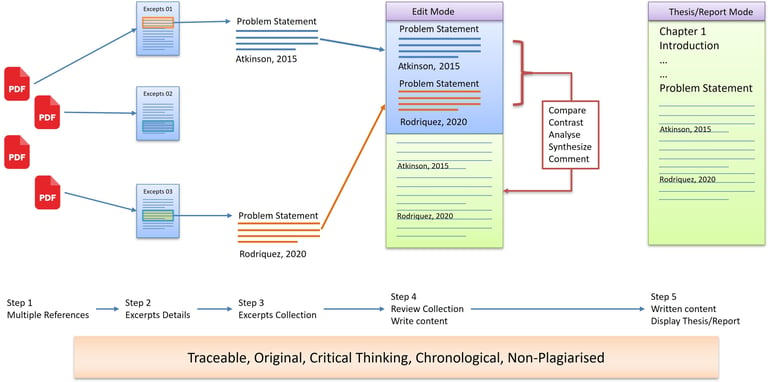
Academique has an elegant way to conduct literature review with critical analysis.
Multiple References
Excerpts Details
Excerpts Collection
Review Collection
Write Contents
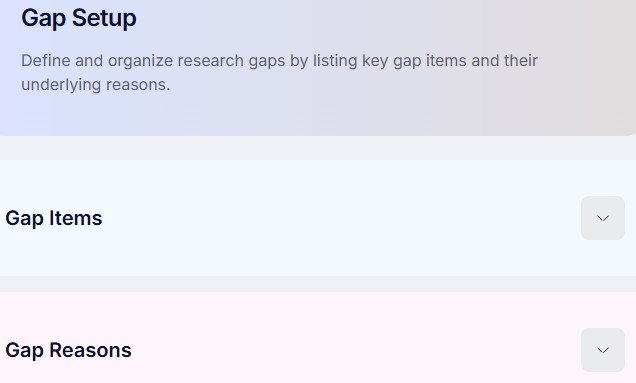
FEATURES (Gap Setup)
Configure the criteria used to identify research gaps by defining research focus, comparison parameters, themes, and evaluation settings before analysing existing literature.
HELP (Gap Setup)
Purpose: Define the areas where existing research is insufficient.
Action: Enter initial themes or concepts where knowledge is limited.
Outcome: A preliminary map of potential research gaps.
Next Step: Proceed to Research Gap.
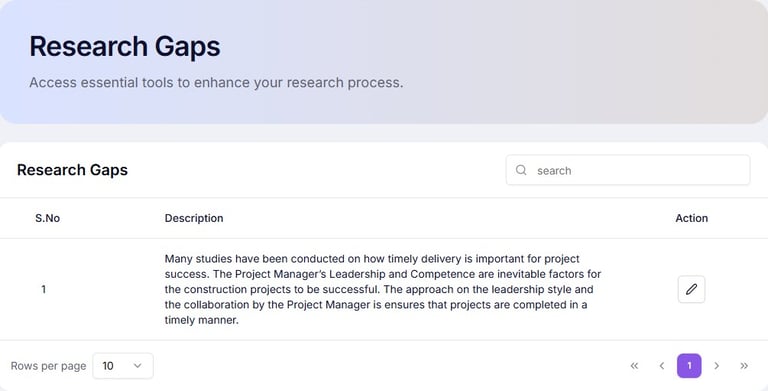
FEATURES (Research Gap)
Examine the literature to identify missing knowledge, inconsistencies, unresolved issues, or underexplored areas that justify the need for the proposed research.
HELP (Research Gap)
Purpose: Refine and specify precise gaps in literature.
Action: Analyse existing studies and highlight unanswered questions.
Outcome: Clearly identified gaps that can generate research questions.
Next Step: Proceed to Search Sources.
FEATURES (Search Sources)
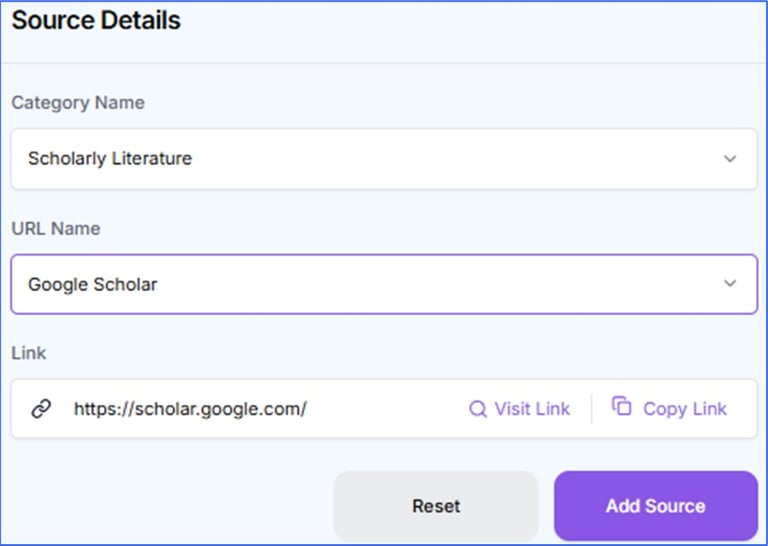
Search and select relevant journals, conference papers, books, reports, and other scholarly sources to support the literature review and research development.
HELP (Search Sources)
Purpose: Locate scholarly articles related to your gaps.
Action: Use keywords, Boolean operators, and database tools.
Outcome: A pool of sources relevant to each identified gap.
Next Step: Proceed to Mind Map.Academique has an elegant way to conduct and write Literature Review.
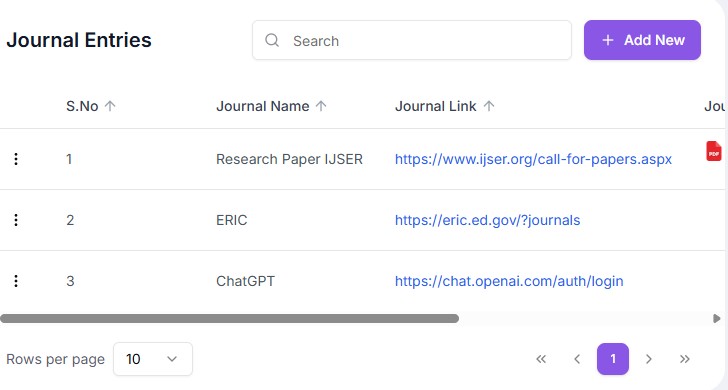
FEATURES (Search Sources: Journal Entries)
Save journal links that can be used to locate relevant journals, conference papers, books, reports, and other scholarly sources to support the literature review and research development.
HELP (Search Sources: Journal Entries)
Purpose: Locate relevant academic materials for your study.
Action: Use keywords or database tools to find scholarly articles, books, or reports.
Outcome: A pool of potential research sources.
Next Step: Proceed to Mind Map.
FEATURES (Mind Map)
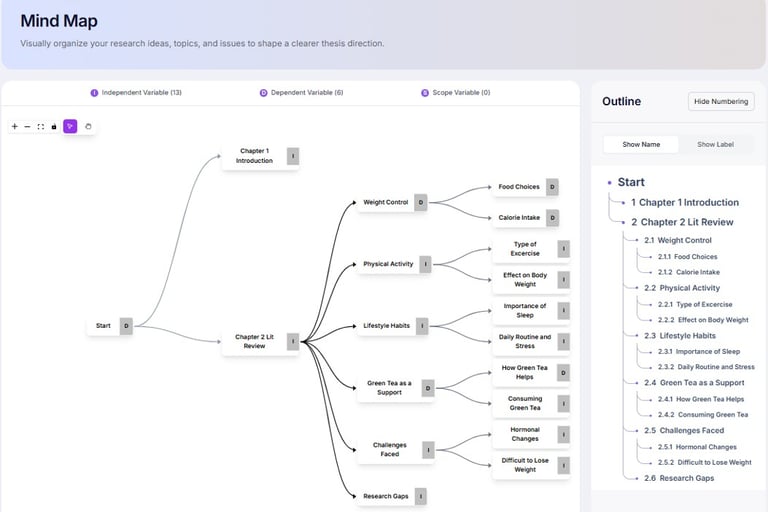
Create a visual representation of ideas, concepts, themes, and relationships to organise thinking, identify connections, and improve research planning.
HELP (Mind Map)
Purpose: Visually organise findings and research gaps.
Action: Create nodes for themes, sub-themes, and gaps.
Outcome: A clear structure for Literature Review sections.
Next Step: Proceed to Excerpts Collection: Select Reference.
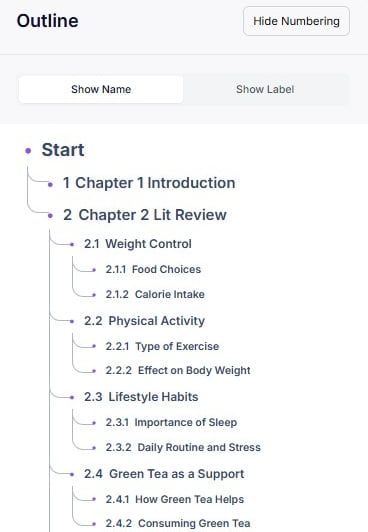
FEATURES (Mind Map Outline)
Create a visual representation of ideas, concepts, themes, and relationships to organise thinking, identify connections, and improve research planning.
HELP (Mind Map Outline)
Purpose: Visually organise the outline.
Action: Show the outline structure.
Outcome: A clear structure for Literature Review sections.
Next Step: Proceed to Excerpts Collection: Excerpts.
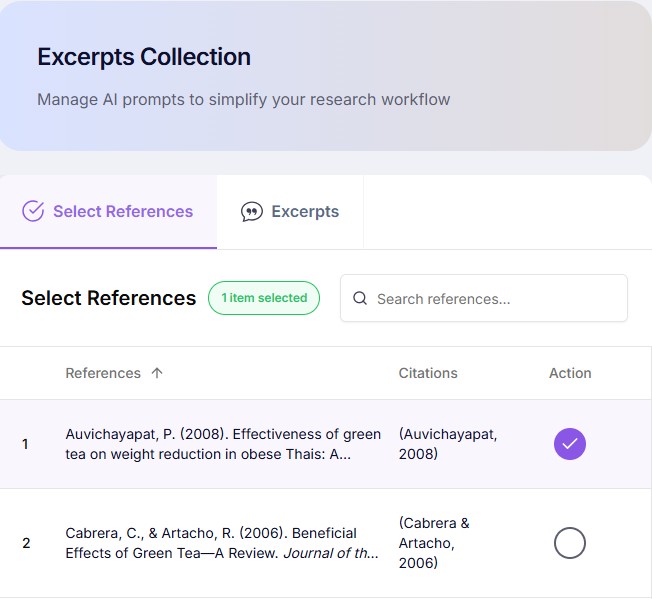
FEATURES (Excerpts Collection: Select Reference)
Select references from your reference library to extract important quotations, summaries, findings, and evidence for later analysis and literature review writing.
HELP (Excerpts Collection: Select Reference)
Purpose: Gather key excerpts from selected literature.
Action: Select relevant quotes or data points and tag by theme.
Outcome: A collection of organised excerpts ready for analysis.
Next Step: Proceed to Excerpts Collection: Excerpts.
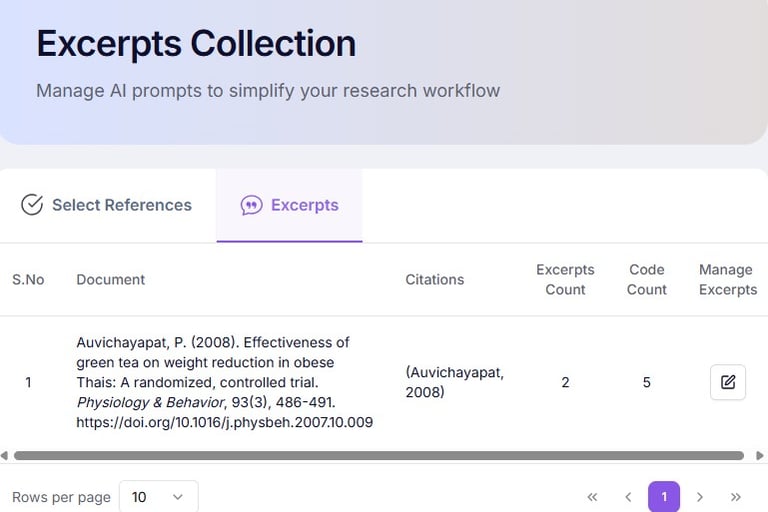
FEATURES (Excerpts Collection: Excerpts)
Collect and organise important excerpts from selected references, grouping them according to themes, concepts, variables, or research questions.
HELP (Excerpts Collection: Excerpts)
Purpose: Gather key excerpts from selected literature.
Action: Select relevant quotes or data points and tag by theme.
Outcome: A collection of organised excerpts ready for analysis.
Next Step: Proceed to Excerpts Details.
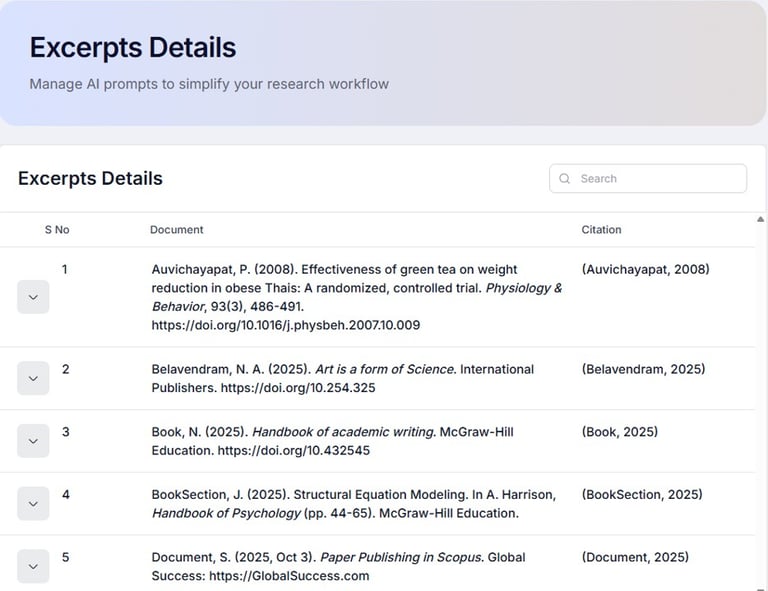
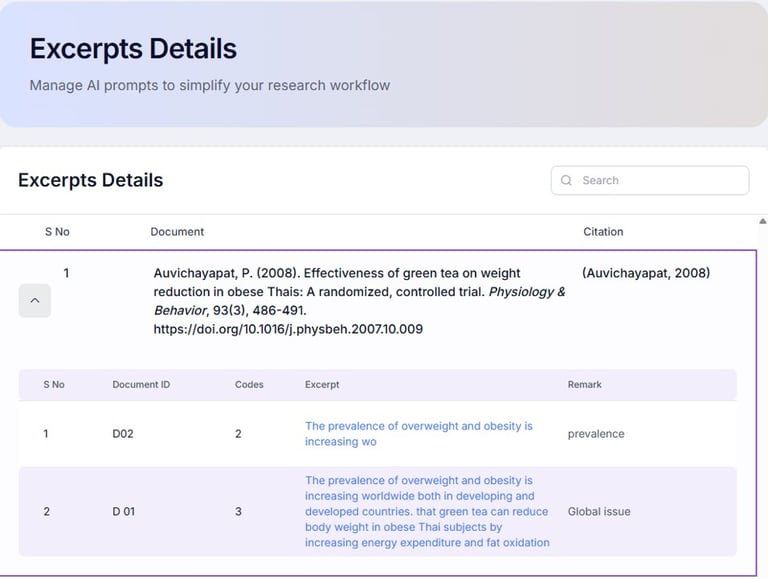
FEATURES (Excerpts Details)
Review, edit, classify, and annotate collected excerpts while recording observations, interpretations, and relevance to the current research study.
HELP (Excerpts Details)
Purpose: Annotate and categorise individual excerpts.
Action: Add comments, link to gaps, and assign source details.
Outcome: A detailed, searchable reference base of evidence.
Next Step: Proceed to Knowledge Map: Conceptual.
FEATURES (Excerpts Details: Excerpts)
Review, edit, classify, and annotate collected excerpts while recording observations, interpretations, and relevance to the current research study.
HELP (Excerpts Details: Excerpts)
Purpose: Annotate and categorise individual excerpts.
Action: Add comments, link to gaps, and assign source details.
Outcome: A detailed, searchable reference base of evidence.
Next Step: Proceed to Knowledge Map: Literature Map.
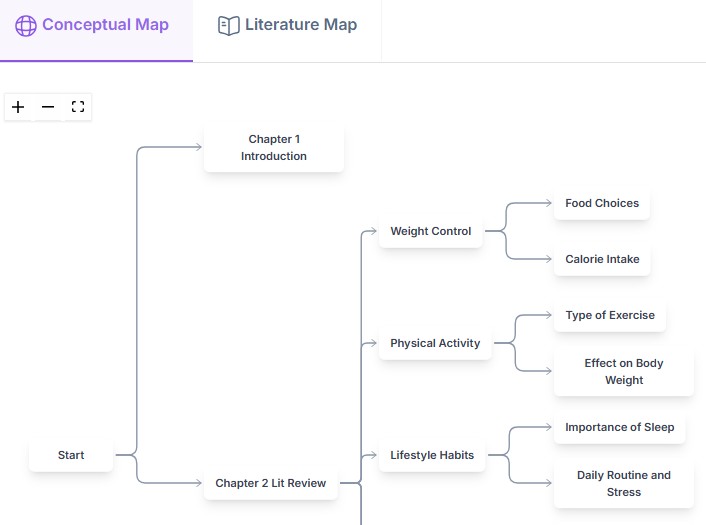
FEATURES (Knowledge Map: Conceptual)
Build a conceptual map showing the relationships between theories, concepts, constructs, and variables to strengthen the theoretical foundation of the study.
HELP (Knowledge Map: Conceptual)
Purpose: Show relationships between themes, variables, and gaps.
Action: Connect nodes visually to illustrate linkages.
Outcome: A conceptual overview of the study domain.
Next Step: Proceed to Knowledge Map: Literature Map.
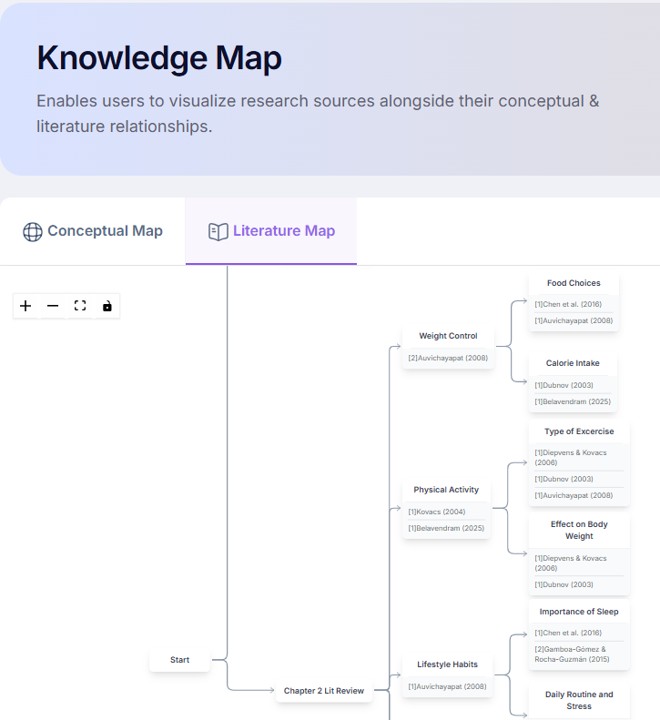
FEATURES (Knowledge Map: Literature Map)
Visualise how published studies relate to each other through themes, methods, findings, and research areas, supporting literature synthesis and gap identification.
HELP (Knowledge Map: Literature Map)
Purpose: Show relationships between themes, variables, and gaps.
Action: Connect nodes visually to illustrate linkages.
Outcome: A conceptual overview of the study domain.
Next Step: Proceed to Lit Review Editor: Overview.
FEATURES (Lit Review Editor: Overview)
View the overall structure of the literature review, including sections, themes, and organisation before developing detailed discussions and supporting arguments.
HELP (Lit Review Editor: Overview)
Purpose: Provide a high-level structure of the literature review.
Action: Review the generated outline, major themes, sections, and overall organisation. Modify the sequence if required.
Outcome: A logical framework for developing the literature review is established.
Next Step: Proceed to Lit Review Editor: Details.
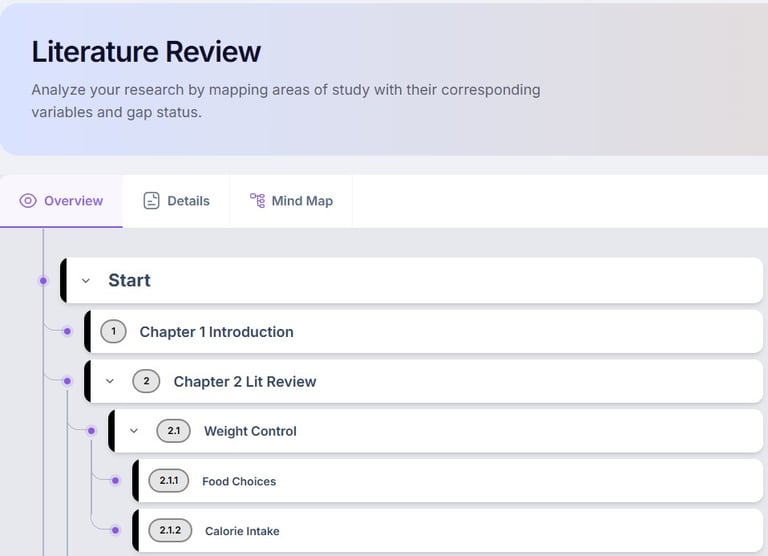
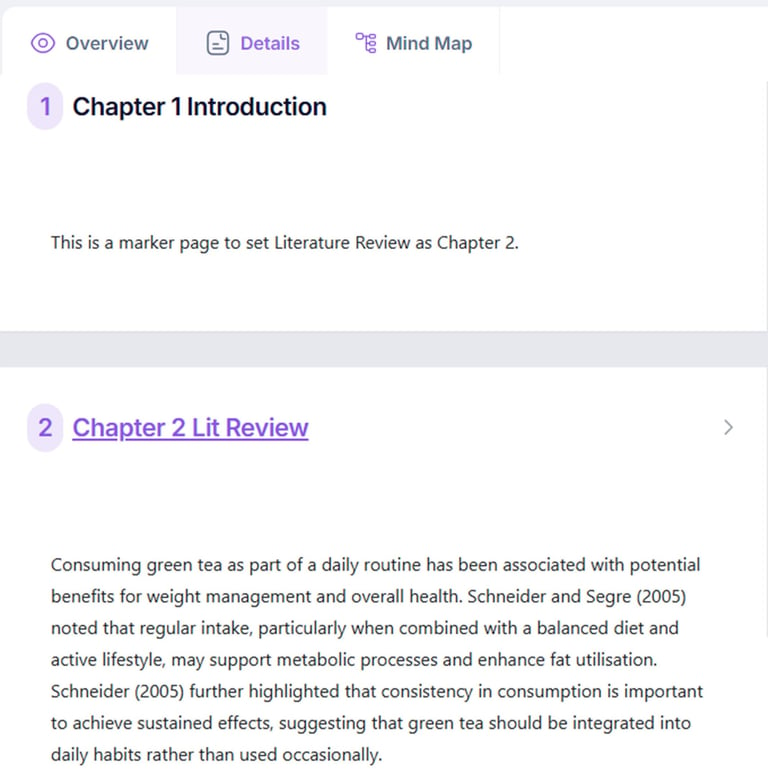
FEATURES (Lit Review Editor: Details)
Develop each literature review section by writing, editing, synthesising, comparing, and organising evidence from published studies into a coherent academic discussion.
HELP (Lit Review Editor: Details)
Purpose: Develop and refine the literature review section by section.
Action: Edit, expand, summarise, compare, and synthesise literature within each topic. Add citations and supporting evidence where appropriate.
Outcome: A comprehensive, well-structured literature review is produced.
Next Step: Proceed to Lit Review Editor: Mind Map.
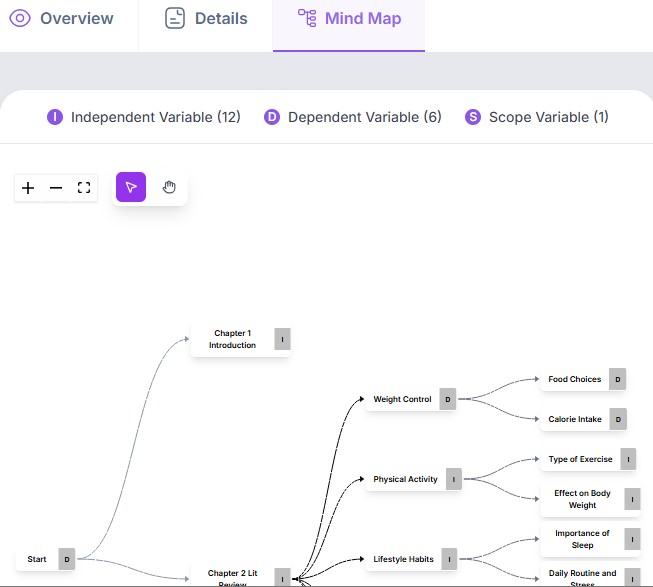
FEATURES (Lit Review Editor: Mind Map)
Visualise the completed literature review structure to examine relationships between themes, concepts, variables, and research gaps while improving logical organisation.
HELP (Lit Review Editor: Mind Map)
Purpose: Visualise the relationships between concepts, themes, and research areas.
Action: Create, edit, and reorganise nodes and links to explore relationships, themes, variables, and research gaps.
Outcome: A visual representation of the literature landscape is created, supporting synthesis and critical analysis.
Next Step: Proceed to Research Gaps.

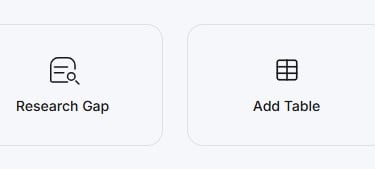
FEATURES (Lit Review Editor: Containers)
View all extracted literature excerpts together with annotations, source references, themes, variables, and personal notes to support detailed analysis, synthesis, and evidence-based literature review writing.
HELP (Lit Review Editor: Containers)
Purpose: Selection of container types for text editor.
Action: Add paragraph, research gaps, tables or images into the text document.
Outcome: A well-organised collection of containers provide ready to use features for synthezing text into the literature review.
Next Step: Proceed to Page with Detailed Excerpts.
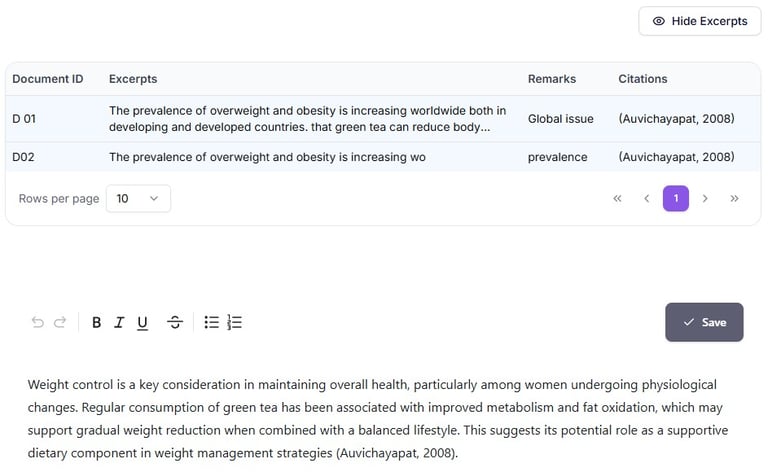
FEATURES (Page with Detailed Excerpts)
View all extracted literature excerpts together with annotations, source references, themes, variables, and personal notes to support detailed analysis, synthesis, and evidence-based literature review writing.
HELP (Page with Detailed Excerpts)
Purpose: Consolidate all collected excerpts for detailed review and analysis.
Action: Review, edit, annotate, classify, and compare excerpts while recording observations and linking them to relevant themes or variables.
Outcome: A well-organised collection of analysed excerpts is produced, ready for synthesis into the literature review.
Next Step: Proceed to Page with Contents.
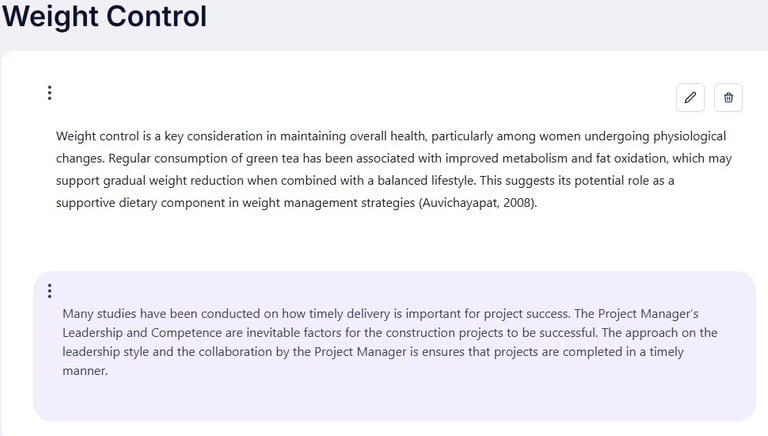
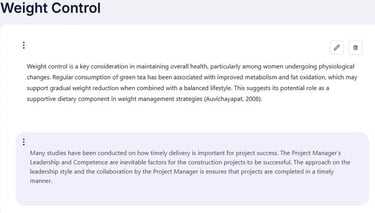
FEATURES (Page with Contents)
View a sample literature review page demonstrating structured writing, providing guidance on how themes, arguments, and references are integrated into a clear and academically sound narrative.
HELP (Page with Contents)
Purpose: Provide a complete overview of the literature review structure and document organisation.
Action: Navigate between sections, review progress, reorganise headings if necessary, and ensure all required sections are complete.
Outcome: A logically organised and complete literature review structure is confirmed before final editing.
Next Step: Proceed to Sample Word Output.
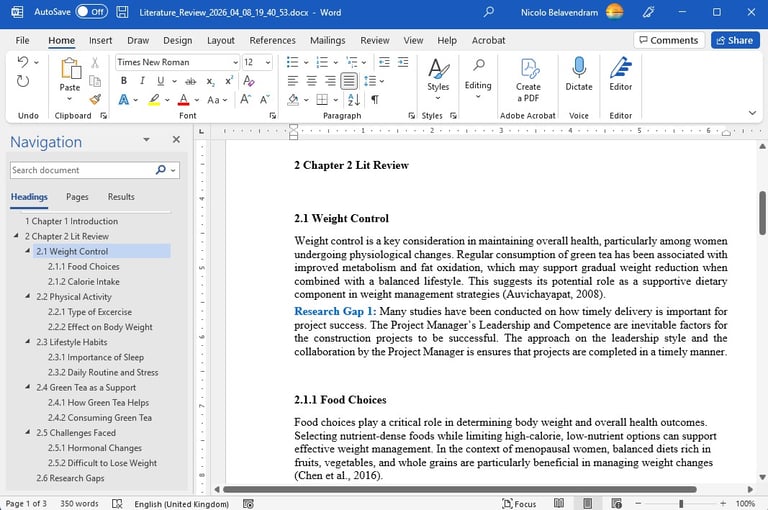
FEATURES (Sample Word Output)
This is the final, polished document generated from text data. It displays the intended layout, fonts, colors, and styling, showing exactly how the printed or shared file will look.
HELP (Sample Word Output)
Purpose: Demonstrate the expected structure and formatting of the generated literature review document.
Action: View the sample Microsoft Word document to understand the layout, headings, content organisation, and presentation style before exporting your own work.
Outcome: Users gain a clear understanding of the expected document format and final appearance.
Next Step: Proceed to Sample Word References.
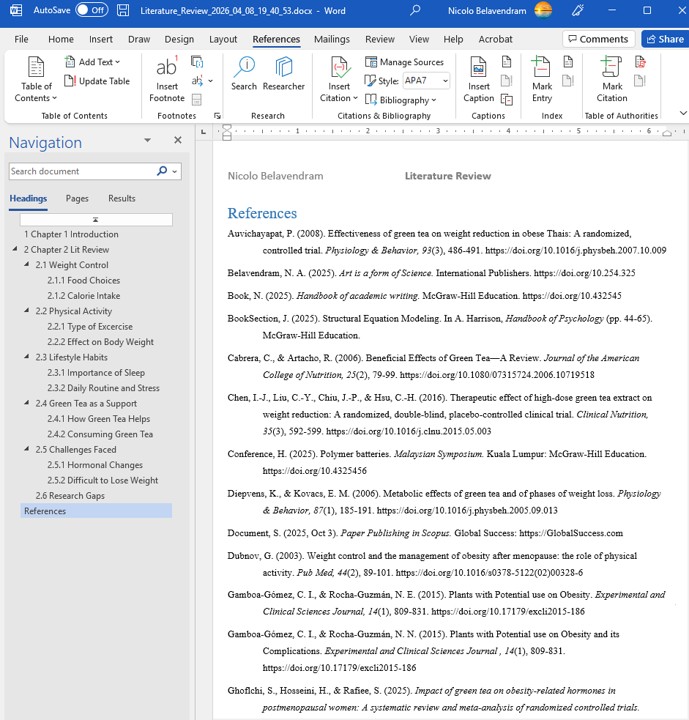
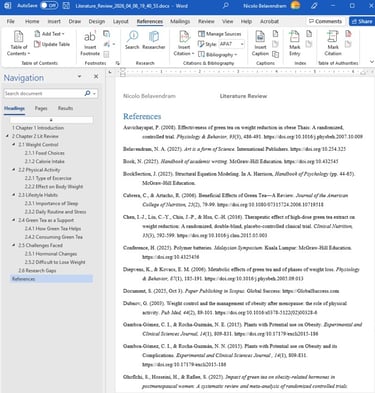
FEATURES (Sample Word References)
These are the internal citations, bibliographies, and footnotes embedded within a document. They credit source material, link to external data, and allow readers to verify the author's research.
HELP (Sample Word References)
Purpose: Demonstrate the expected formatting of citations and reference lists in the exported Word document.
Action: Review sample references to understand citation style, bibliography layout, and formatting consistency before generating your own reference list.
Outcome: Users understand how references will appear and can verify citation accuracy and completeness.
Next Step: Proceed to Research Gaps.
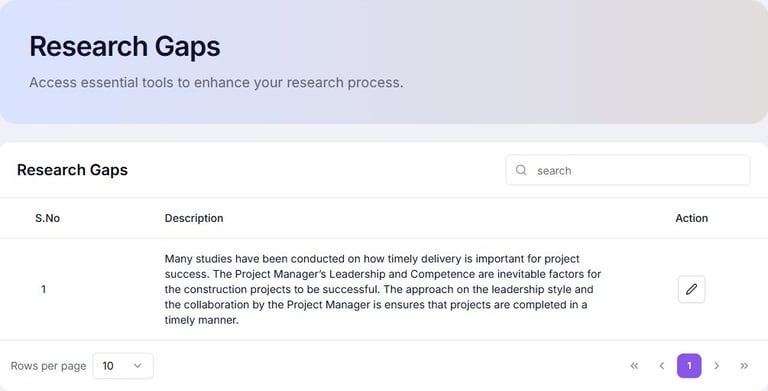
FEATURES (Research Gaps)
Consolidate and evaluate identified research gaps to determine which gaps are significant, feasible, and appropriate for addressing within the proposed research study.
HELP (Research Gaps)
Purpose: Confirm and finalise research gaps.
Action: Review and adjust gaps based on collected literature.
Outcome: Validated research gaps aligned to objectives.
Next Step: Proceed to Study Areas/Variables: Area of Study.
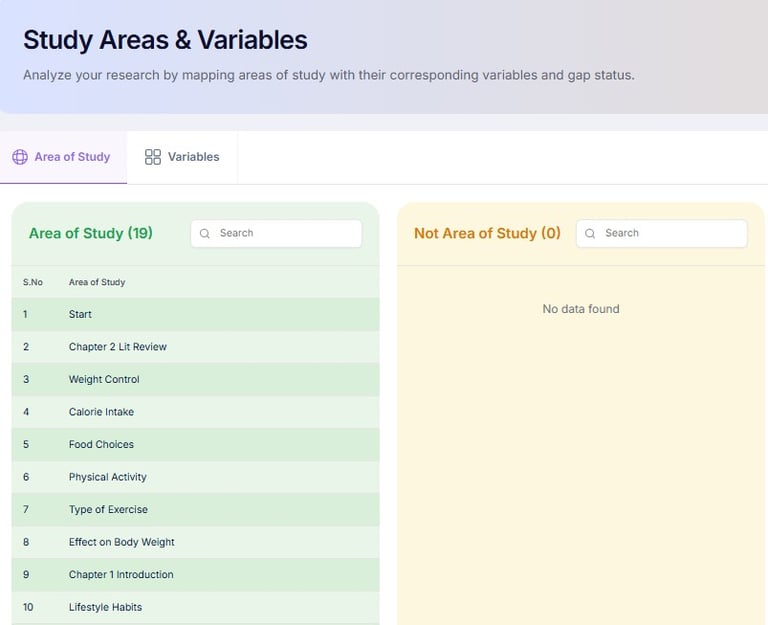
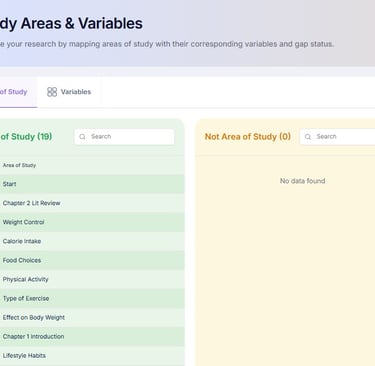
FEATURES (Study Areas/Variables: Area of Study)
Define the academic discipline, research domain, industry, or application area that establishes the context and boundaries of the proposed study.
HELP (Study Areas/Variables: Area of Study)
Purpose: Define key variables or constructs for analysis.
Action: Map variables to research gaps and objectives.
Outcome: A clear conceptual framework for your study.
Next Step: Proceed to Study Areas/Variables: Variables.
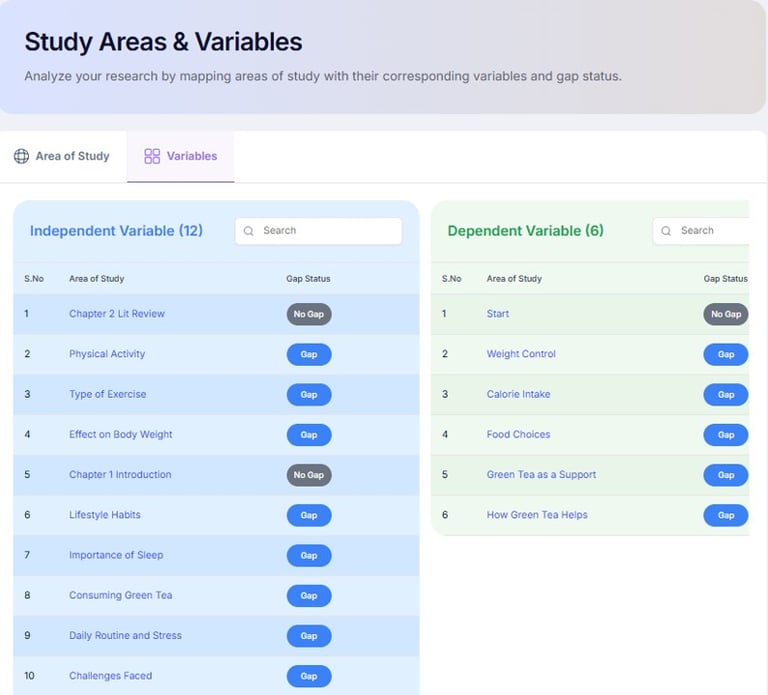
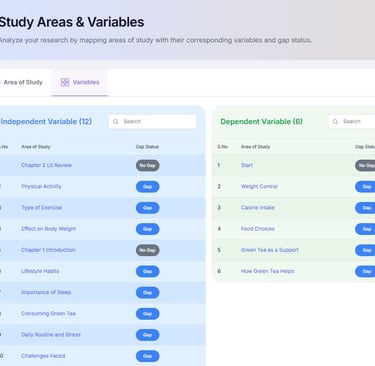
FEATURES (Study Areas/Variables: Variables)
Identify, define, and classify the independent, dependent, mediating, moderating, and control variables that form the basis of the research framework.
HELP (Study Areas/Variables: Variables)
Purpose: Define key variables or constructs for analysis.
Action: Map variables to research gaps and objectives.
Outcome: A clear conceptual framework for your study.
Next Step: Proceed to Appendices.
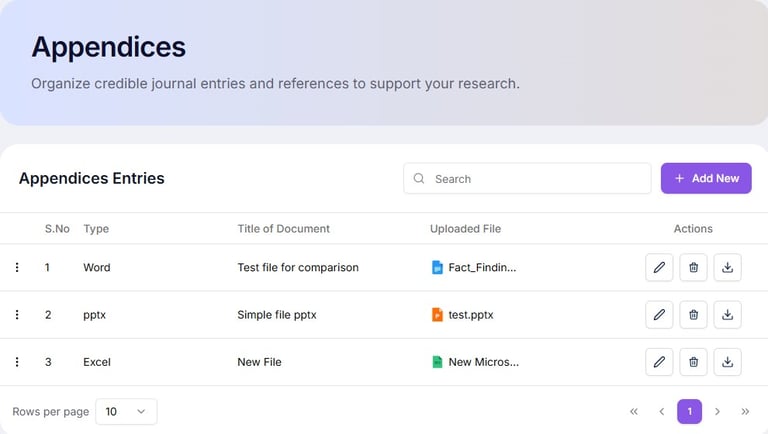
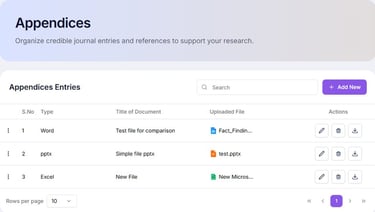
FEATURES (Appendices)
Organise supporting materials such as questionnaires, interview protocols, ethical approvals, supplementary tables, and additional documents referenced throughout the research project.
HELP (Appendices)
Purpose: Store additional supporting documents or evidence.
Action: Upload or reference supplementary materials.
Outcome: A complete repository of supporting evidence.
Next Step: Proceed to Summary.
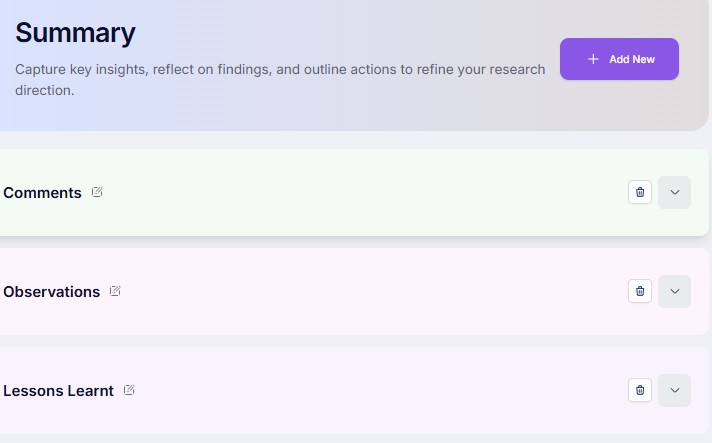
FEATURES (Summary)
Review the completed literature review, research gaps, study variables, and supporting materials to ensure consistency, completeness, and readiness for proposal or thesis writing.
HELP (Summary)
Purpose: Review key points, content and final structure.
Action: Check flow, consistency, and completeness of sections.
Outcome: A clear overview of content ready for Reports.
Next Step: Proceed to Reports.
FEATURES (Reports)
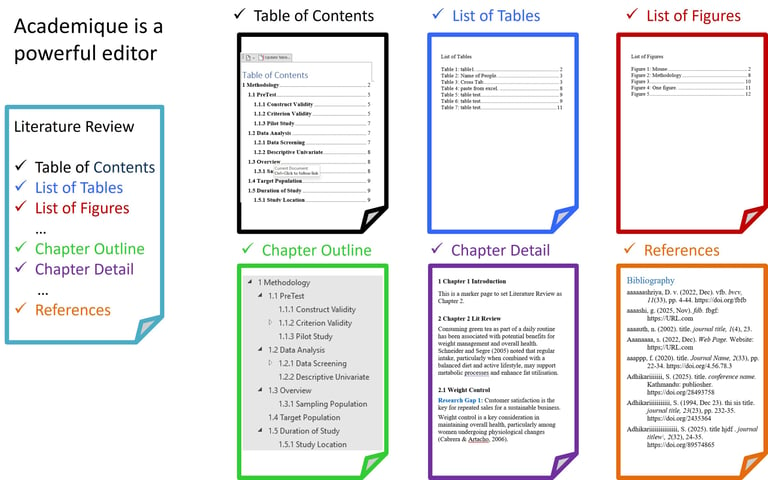
Select and preview contents that can be exported to Word with table of contents, list of tables, list of figures, bibliography.
HELP (Reports)
Purpose: Compile all Literature Review outputs into structured format.
Action: Generate formatted documents with references, charts, and summaries.
Outcome: A professional Literature Review report ready for submission or proposal integration.
Next Step: Proceed to AI Assistant.