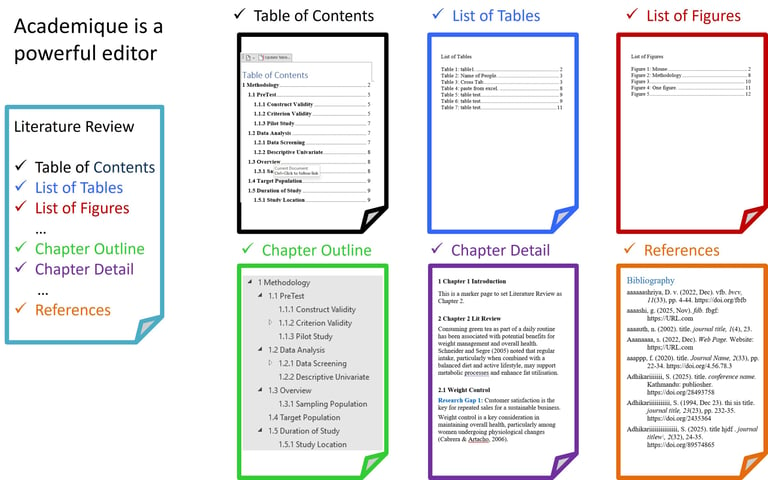
Module 3 — Literature Review
How to use this module: Create a structured review based on a mind map strategy of selected topics and cascading ideas. Link excerpts to write your content and beat plagiarism and AI written content. Manage all sections and paragraphs with interrelated contents and references through the Literature Map.


Video Manual: Literature Review
The Video Manual: Literature Review gives a quick view of the features.
Features and Help
The FEATURES (explain the module elements) and HELP (how to use the module elements) are arranged in the order that they are used.
FEATURES (Literature Review - Gap Analysis)
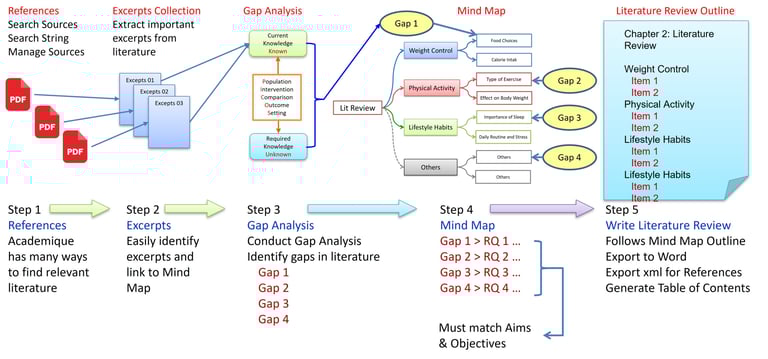
Academique has an elegant way to conduct and write Literature Review.
Gather References
Identify Excerpts
Conduct Gap Analysis
Create a Mind Map
Write Literature Review
FEATURES (Literature Review - Critical Analysis)
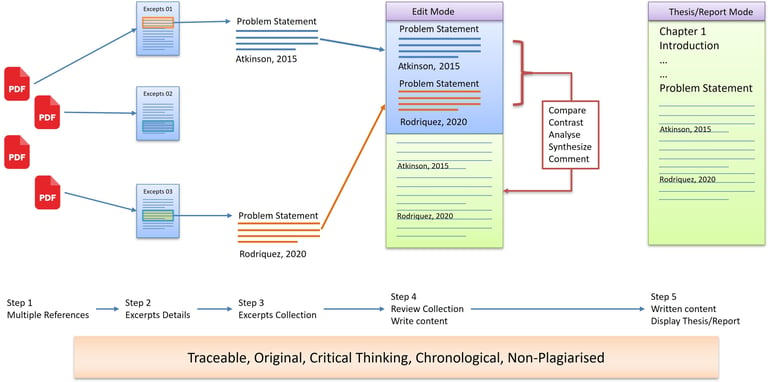
Academique has an elegant way to conduct literature review with critical analysis.
Multiple References
Excerpts Details
Excerpts Collection
Review Collection
Write Contents
FEATURES (Gap Setup)
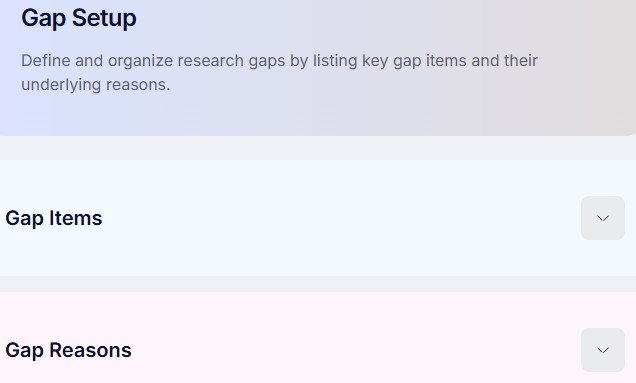
Configure the criteria used to identify research gaps by defining research focus, comparison parameters, themes, and evaluation settings before analysing existing literature.
HELP (Gap Setup)
Purpose: Define the areas where existing research is insufficient.
Action: Enter initial themes or concepts where knowledge is limited.
Outcome: A preliminary map of potential research gaps.
Next Step: Research Gap.
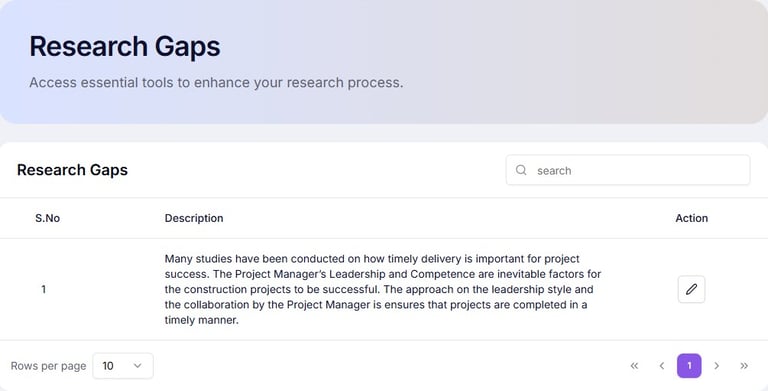
FEATURES (Research Gap)
Examine the literature to identify missing knowledge, inconsistencies, unresolved issues, or underexplored areas that justify the need for the proposed research.
HELP (Research Gap)
Purpose: Refine and specify research gaps in literature.
Action: Analyse existing studies and highlight unanswered questions.
Outcome: Clearly identified gaps that can generate research questions.
Next Step: Search Sources: Source Details.
FEATURES (Search Sources: Source Details)
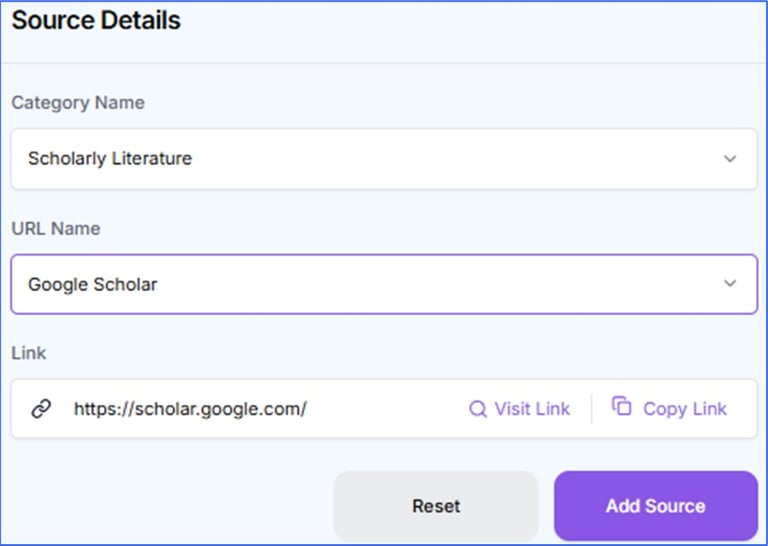
Search and select relevant journals, conference papers, books, reports, and other scholarly sources to support the literature review and research development.
HELP (Search Sources: Source Details)
Purpose: Locate scholarly articles related to your research gaps.
Action: Use keywords and Boolean operators across databases to find scholarly sources.
Outcome: A pool of sources relevant to each identified research gap.
Next Step: Search Sources: Journal Entries.
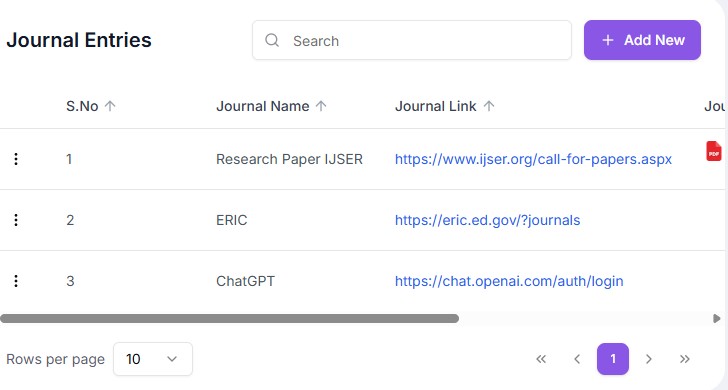
FEATURES (Search Sources: Journal Entries)
Save journal links that can be used to locate relevant journals, conference papers, books, reports, and other scholarly sources to support the literature review and research development.
HELP (Search Sources: Journal Entries)
Purpose: Locate relevant academic materials for your study.
Action: Save links to sites to find scholarly articles, books, or reports.
Outcome: A pool of potential research sources.
Next Step: Mind Map.
FEATURES (Mind Map)
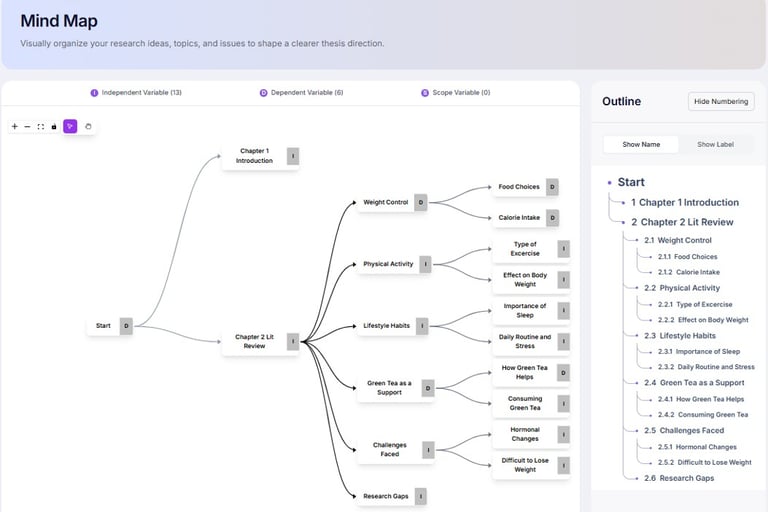
Create a visual representation of ideas, concepts, themes, and relationships to organize thinking, identify connections, and improve research planning.
HELP (Mind Map)
Purpose: Visually organize original thinking process aligned with research gaps.
Action: Create nodes for themes, sub-themes, and research gaps.
Outcome: A clear structure of the thought process behind the students synthesis of Literature Review.
Next Step: Mind Map Outline.
FEATURES (Mind Map Outline)
Create a visual outline of interconnected ideas, concepts, themes, and relationships to organize the writing process.
HELP (Mind Map Outline)
Purpose: Visually organise the outline for writing contents.
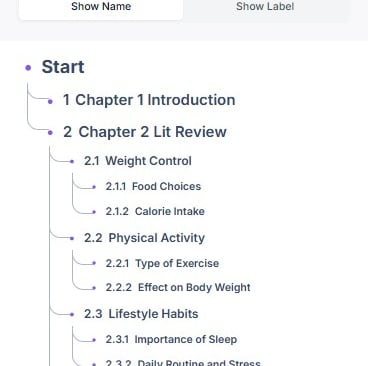
Action: Show the outline structure.
Outcome: A clear structure for writing the Literature Review sections.
Next Step: Excerpts Collection: Select References.

FEATURES (Excerpts Collection: Select References)
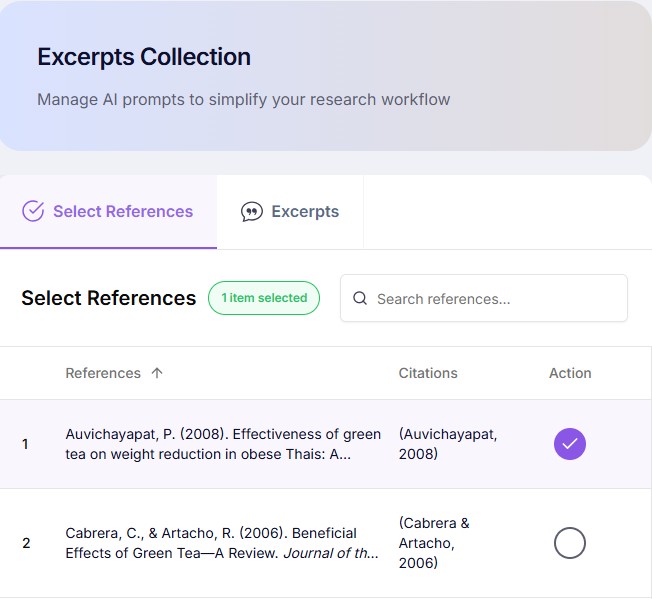
Select references from the reference library to extract important quotations, summaries, findings, and evidence for later analysis and synthesis of literature review writing.
HELP (Excerpts Collection: Select References)
Purpose: Gather key excerpts from selected literature.
Action: Select relevant quotes or data points and tag by theme.
Outcome: A collection of organised excerpts ready for analysis.
Next Step: Excerpts Collection: Excerpts.
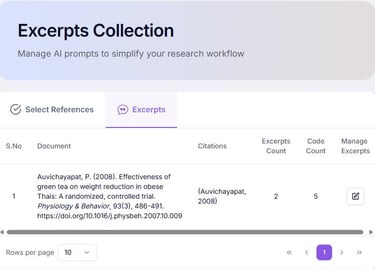
FEATURES (Excerpts Collection: Excerpts)
Collect and organise important excerpts from selected references, grouping them according to themes, concepts, variables, or research questions.
HELP (Excerpts Collection: Excerpts)
Purpose: Identify and collate related excerpts from selected literature.
Action: Select relevant quotes or data points and tag by theme.
Outcome: A collection of organised excerpts ready for analysis.
Next Step: Excerpts Details.
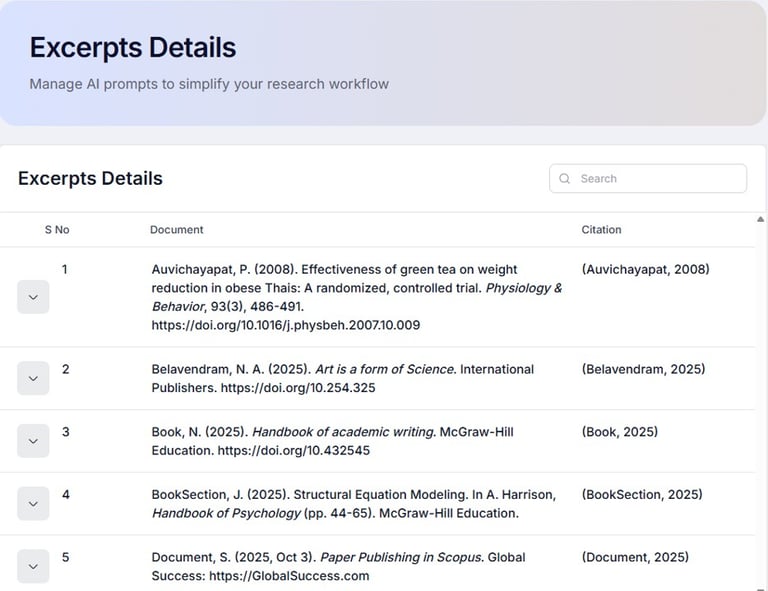
FEATURES (Excerpts Details)
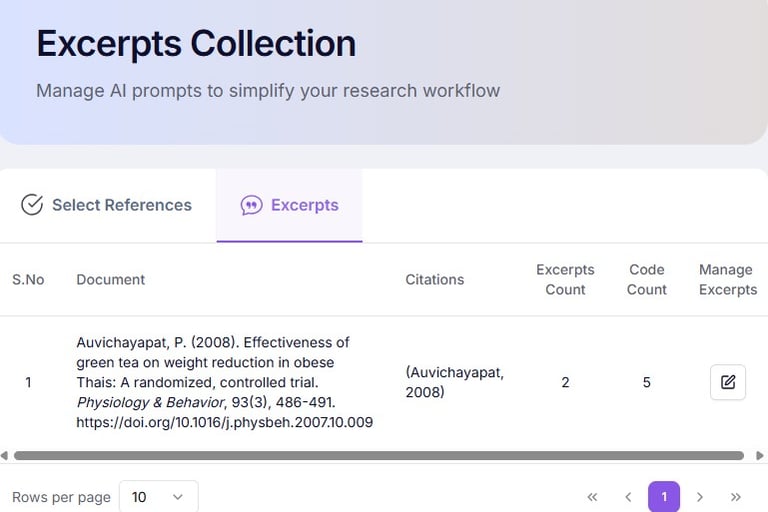
Review, edit, classify, and annotate collected excerpts while recording observations, interpretations, and relevance to the current research.
HELP (Excerpts Details)
Purpose: Annotate and categorise individual excerpts.
Action: Add comments, link to gaps, and assign source details.
Outcome: A detailed, searchable reference base of evidence.
Next Step: Excerpts Details: Excerpts.
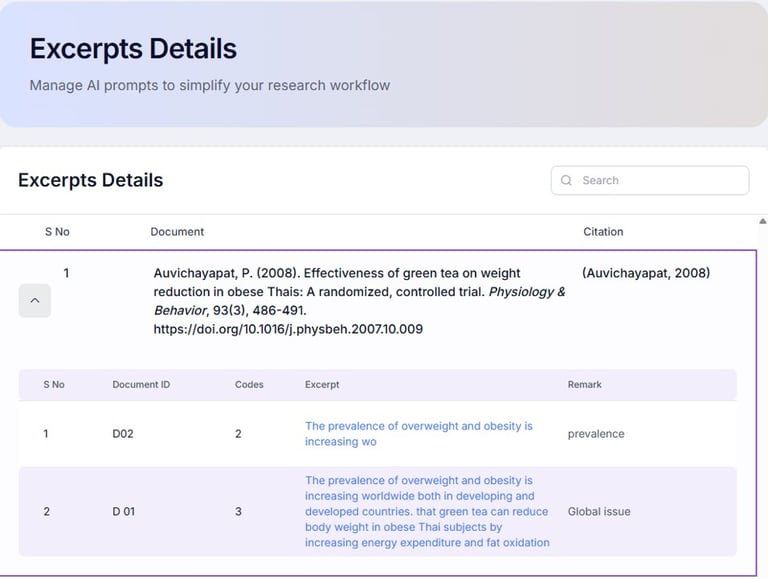
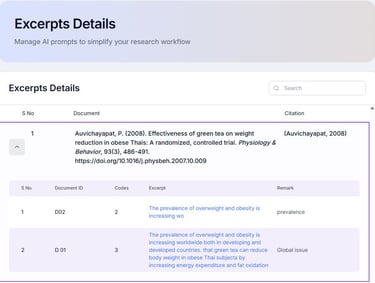
FEATURES (Excerpts Details: Excerpts)
Review, edit, classify, and annotate collected excerpts while recording observations, interpretations, and relevance to the current research study.
HELP (Excerpts Details: Excerpts)
Purpose: To show related excerpts within a reference document
Action: Use the excerpts link to edit an excerpt.
Outcome: A detailed, searchable, editable reference base of evidence.
Next Step: Knowledge Map: Conceptual.
FEATURES (Knowledge Map: Conceptual)
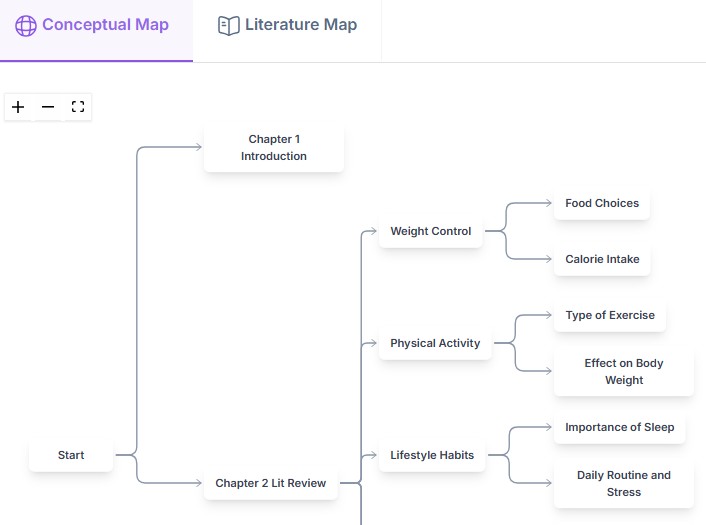
Build a conceptual map showing the relationships between theories, concepts, constructs, and variables to strengthen the theoretical basis of the study.
HELP (Knowledge Map: Conceptual)
Purpose: Show relationships between themes in a structured map.
Action: Visual display of how nodes are related.
Outcome: A conceptual overview of the study domain.
Next Step: Knowledge Map: Literature Map.
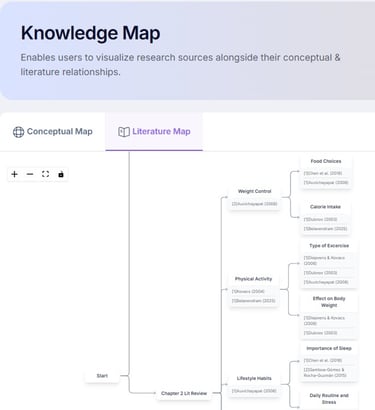
FEATURES (Knowledge Map: Literature Map)
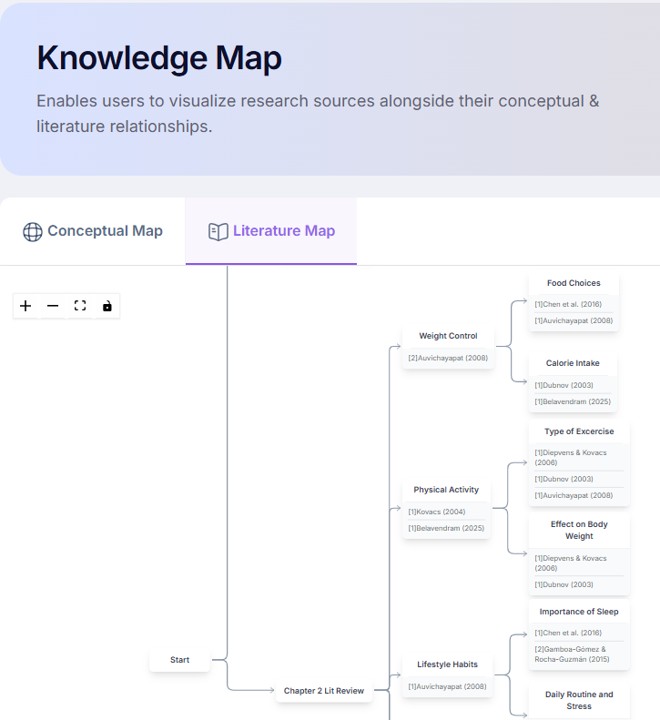
Visualise how published studies relate to each other through themes, methods, findings, and research areas, supporting literature synthesis and gap identification.
HELP (Knowledge Map: Literature Map)
Purpose: Show relationships between themes in a structured map.
Action: Visual display of how nodes are related to excerpts frequency with links to the references.
Outcome: A conceptual overview of the study domain with references.
Next Step: Lit Review Editor: Overview.
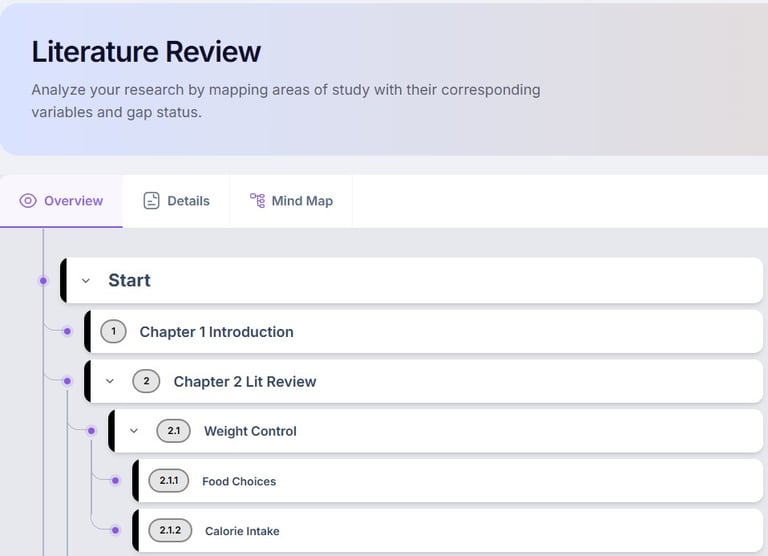
FEATURES (Lit Review Editor: Overview)
View the overall structure of the literature review, including sections, themes, and organisation before developing detailed discussions and supporting arguments.
HELP (Lit Review Editor: Overview)
Purpose: Provide a high-level structure for literature review writing using structured outline.
Action: Review the generated outline, major themes, sections, and overall organisation. Modify the sequence if required.
Outcome: A logical framework for developing the literature review is established.
Next Step: Lit Review Editor: Details.
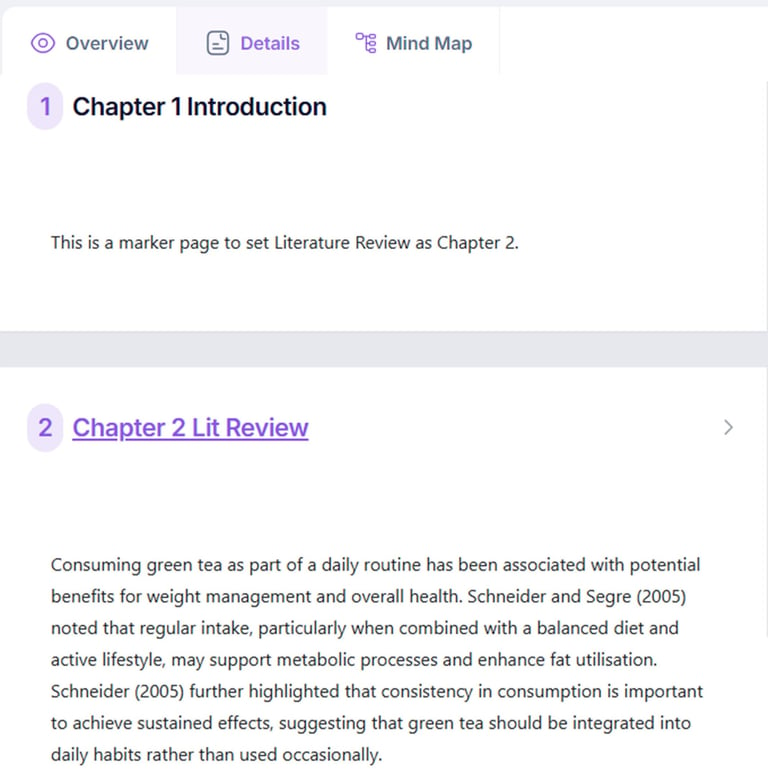
FEATURES (Lit Review Editor: Details)
Develop each literature review section by writing, editing, analysing, synthesising, comparing, and organising evidence from published studies into a coherent academic discussion.
HELP (Lit Review Editor: Details)
Purpose: Develop and refine the literature review section by section.
Action: Edit, expand, summarise, compare, and synthesise literature within each node. Add citations and supporting evidence where appropriate.
Outcome: A comprehensive, well-structured literature review is produced.
Next Step: Lit Review Editor: Mind Map.
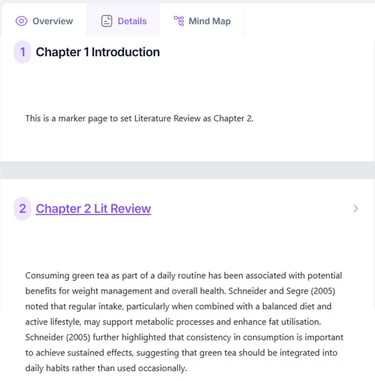
FEATURES (Lit Review Editor: Mind Map)
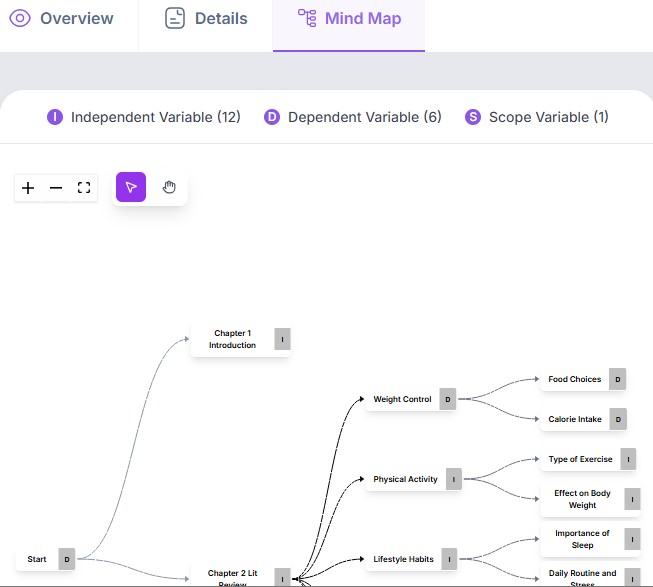
Visualise the literature review as a Mind Map structure to examine relationships between themes, concepts, variables, and research gaps while improving logical organisation.
HELP (Lit Review Editor: Mind Map)
Purpose: Visualise the relationships between concepts, themes, and research areas.
Action: Create, edit, and reorganise nodes and links to explore relationships, themes, variables, and research gaps.
Outcome: A visual Mind Map representation of the literature review is created, supporting synthesis and critical analysis.
Next Step: Lit Review Editor: Containers.


FEATURES (Lit Review Editor: Containers)
The workspace integrates many input types including: standard text paragraphs, research gap examples, data tables, and images enabling you to construct highly visual, comprehensive academic documents.
HELP (Lit Review Editor: Containers)
Purpose: Selection of container types for text editor contents.
Action: Add paragraph, research gaps, tables or images into the text document.
Outcome: A collection of containers to provide ready to use features for writing the literature review.
Next Step: Page with Detailed Excerpts.
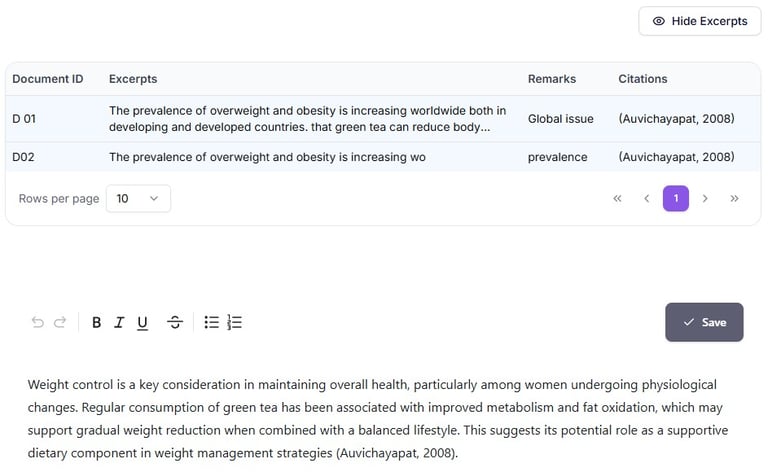
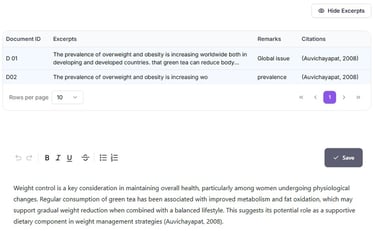
FEATURES (Page with Detailed Excerpts)
View all extracted literature excerpts together with annotations, source references, themes, and variables to support detailed analysis, synthesis, and evidence-based literature review writing.
HELP (Page with Detailed Excerpts)
Purpose: Consolidate all collected excerpts for detailed review and analysis.
Action: Review, edit, annotate, classify, and compare excerpts while recording observations and linking them to relevant themes.
Outcome: A well-organised collection of analysed excerpts is produced, ready for synthesis into the literature review.
Next Step: Page with Contents.
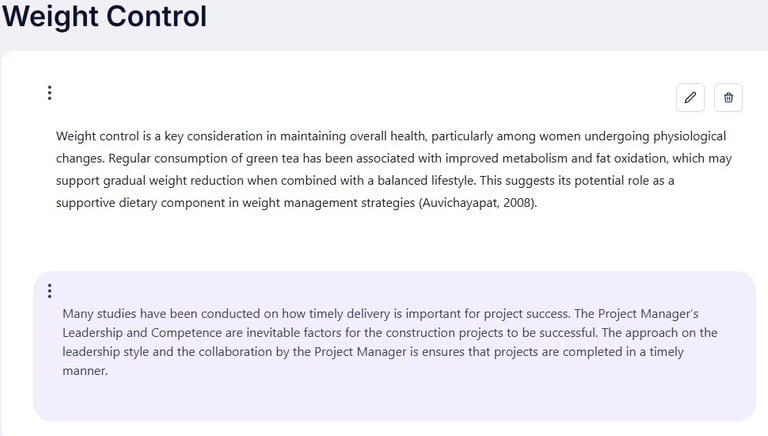
FEATURES (Page with Contents)
View a sample literature review page demonstrating structured writing, providing guidance on how themes, arguments, and references are integrated into a clear academic narrative.
HELP (Page with Contents)
Purpose: Provide a complete overview of the literature review structure and document organisation.
Action: Navigate between sections, review progress, reorganise headings if necessary, and ensure all required sections are complete.
Outcome: A logically organised and complete literature review structure is confirmed before final editing.
Next Step: Sample Word Output.
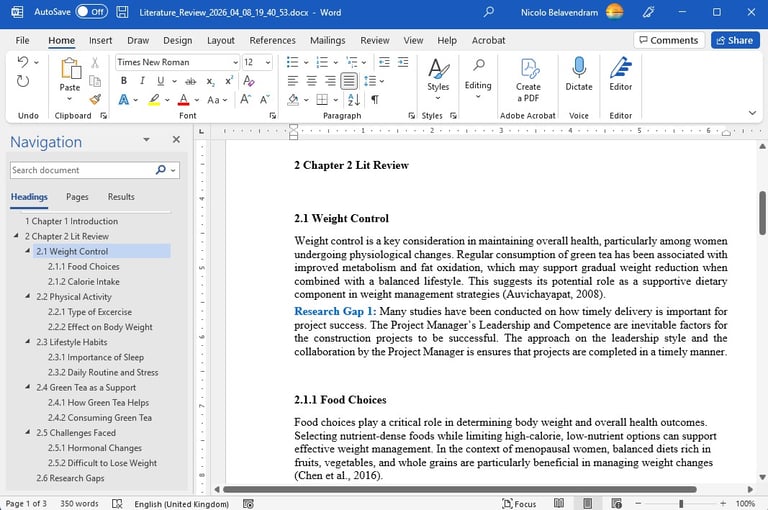
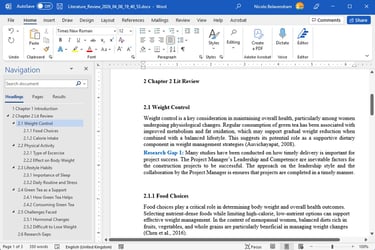
FEATURES (Sample Word Output)
This is a sample document generated from the text data displaying the layout of contents in Word format.
HELP (Sample Word Output)
Purpose: Demonstrate the expected structure and format of the generated literature review document.
Action: View the sample Microsoft Word document to understand the document layout.
Outcome: See a clear understanding of the expected document format and final appearance.
Next Step: Sample Word References.
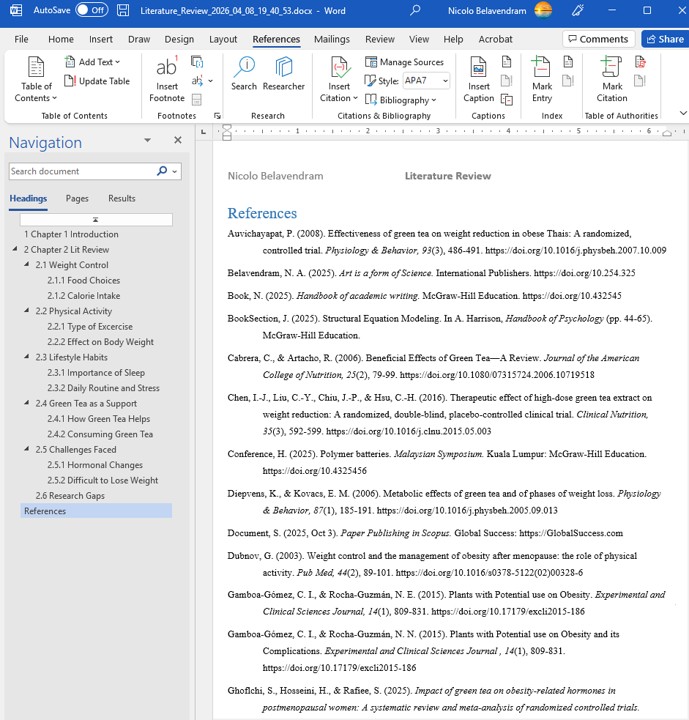
FEATURES (Sample Word References)
These are the internal citations and bibliographies embedded within a document. They credit original source material and allow readers to verify the research.
HELP (Sample Word References)
Purpose: Demonstrate the expected formatting of citations and reference lists in the exported Word document.
Action: Review sample references to visualize citation style and bibliography layout.
Outcome: Users understand how references and citations appear in the document.
Next Step: Research Gaps.
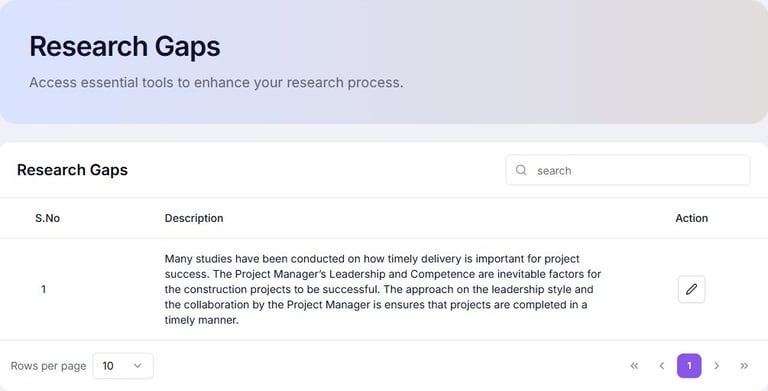
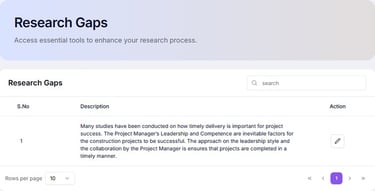
FEATURES (Research Gaps)
Consolidate and evaluate identified research gaps to determine which gaps are significant, feasible, and appropriate for addressing within the proposed research.
HELP (Research Gaps)
Purpose: Confirm and finalise research gaps.
Action: Review and collate research gaps based on established literature.
Outcome: Validated research gaps aligned to research objectives.
Next Step: Study Areas/Variables: Area of Study.
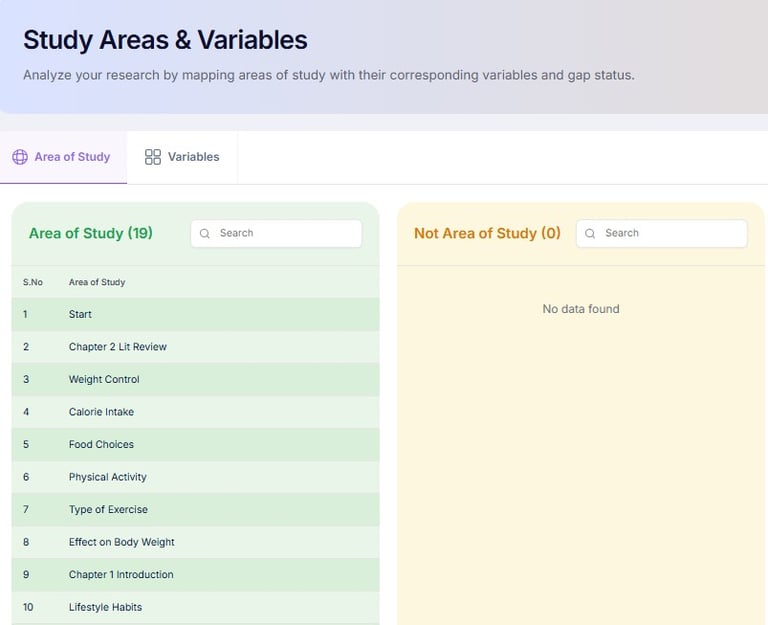
FEATURES (Study Areas/Variables: Area of Study)
Define the variables that were used in the study and establish the context and boundaries of the study.
HELP (Study Areas/Variables: Area of Study)
Purpose: Define key variables or constructs for analysis.
Action: Deliberate on variables contributing to the study.
Outcome: A clear list of variable used in the study.
Next Step: Study Areas/Variables: Variables.
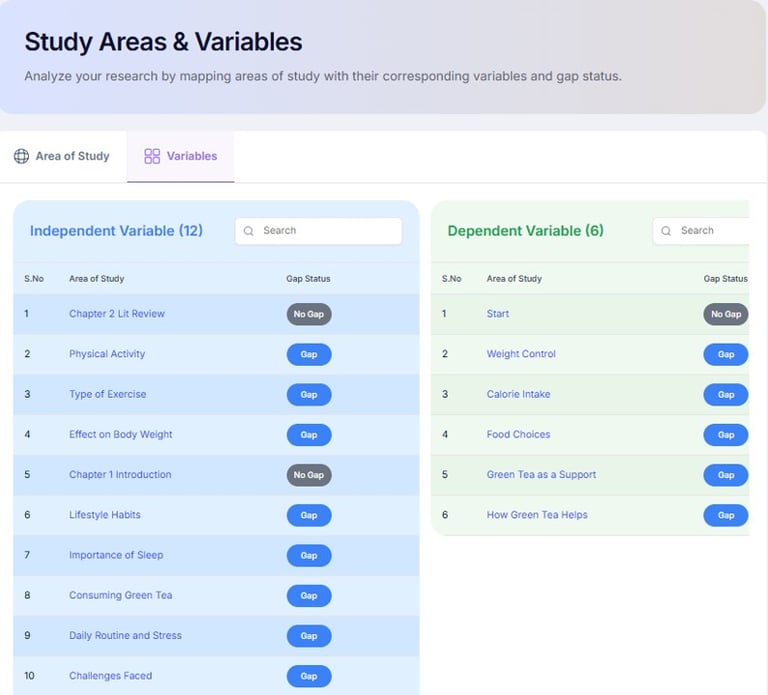
FEATURES (Study Areas/Variables: Variables)
Collate the independent, dependent, and scope variables that form the basis of the research framework.
HELP (Study Areas/Variables: Variables)
Purpose: Ensure key variables are applied correctly within the study.
Action: Explicitly see variables mapped to research gaps.
Outcome: A clear conceptual framework for your study.
Next Step: Appendices.

FEATURES (Appendices)
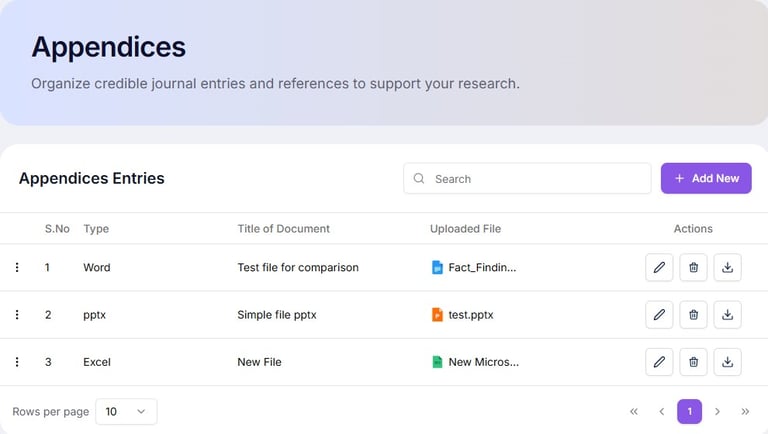
Organise supporting materials (questionnaires, interview protocols, ethical approvals, supplementary tables, and additional documents) referenced in the research.
HELP (Appendices)
Purpose: Store additional supporting documents or evidence.
Action: Upload supplementary documents.
Outcome: A complete repository of supporting evidence.
Next Step: Summary.
FEATURES (Summary)
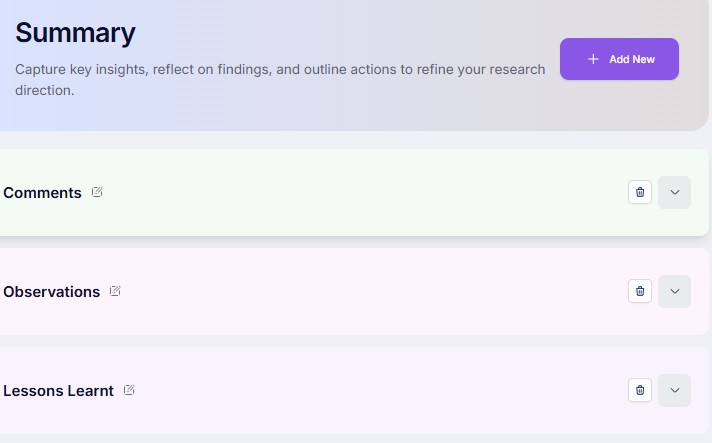
Review the completed literature review, research gaps, study variables, and supporting materials to ensure consistency, completeness, and readiness for thesis writing.
HELP (Summary)
Purpose: Review key points, content and final structure.
Action: Check flow, consistency, and completeness of sections.
Outcome: A clear overview of content ready for reports.
Next Step: Reports.
FEATURES (Reports)
Select and preview contents that can be exported to Word with table of contents, list of tables, list of figures, bibliography.
HELP (Reports)
Purpose: Compile all literature review outputs into structured format.
Action: Generate formatted documents with references, table of contents, list of tables and list of figures.
Outcome: A professional literature review report ready for submission.
Next Step: PP module.