Module 2 — Reference Management
Keep your sources organised and correctly formatted. Academique helps you manage references efficiently, ensuring academic integrity and save time searching references and citations. Use Manage Sources and Boolean search strategies. Import references from Excel files. Export xml files of references. Manage your sources easily, integrate citations seamlessly, and ensure proper academic formatting.
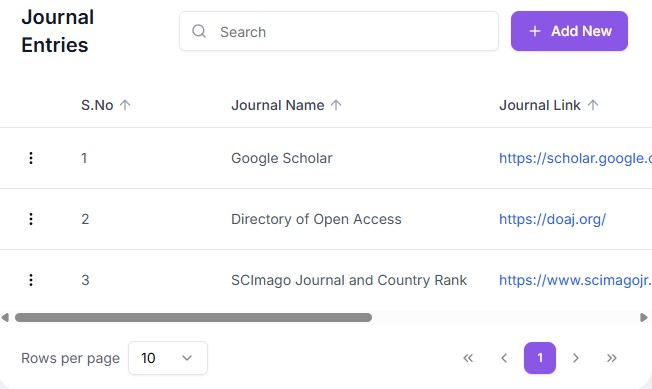
Search Source
Identify relevant academic sources based on your research focus, ensuring selection of credible, high-quality materials that form a strong foundation for your literature review.
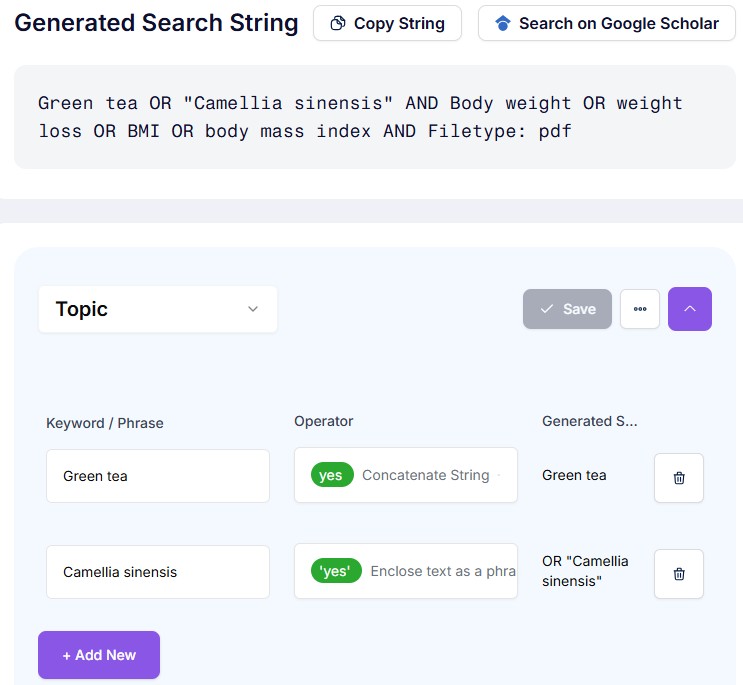
Search String
Construct precise Boolean search strings using keywords and operators to retrieve relevant academic sources efficiently, ensuring comprehensive and focused literature coverage aligned with your research objectives.
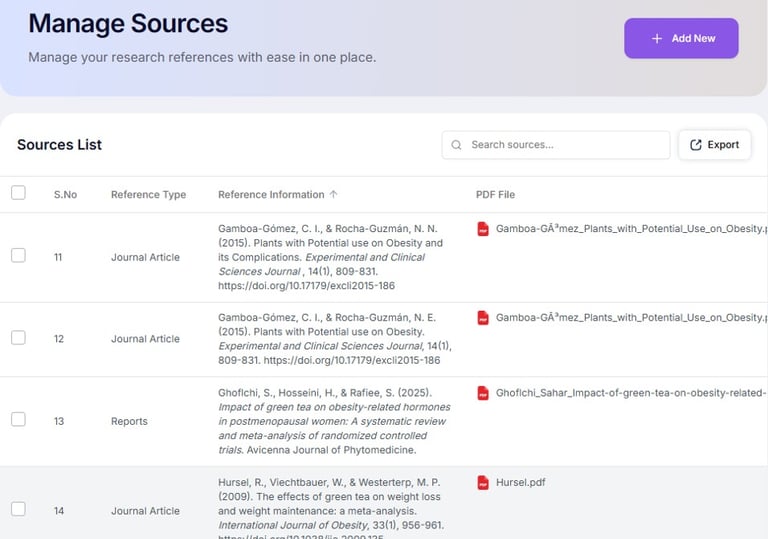
Manage Sources
Organise and document selected references systematically, ensuring accurate recording of authors, titles, and publication details for consistent and reliable use throughout your research and writing process.
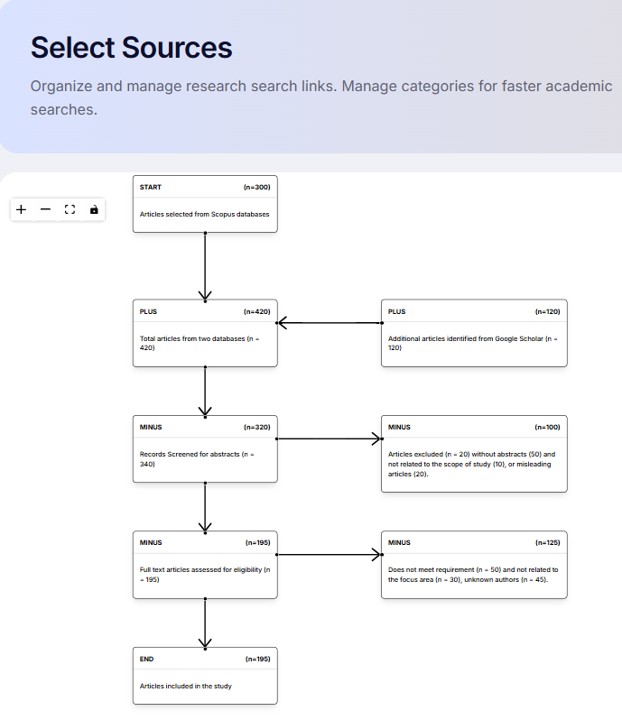
Select Sources
Filter and refine collected literature sources using structured criteria screened on relevance such as abstracts, and keywords, visually tracking inclusion and exclusion through a clear and systematic selection flow.
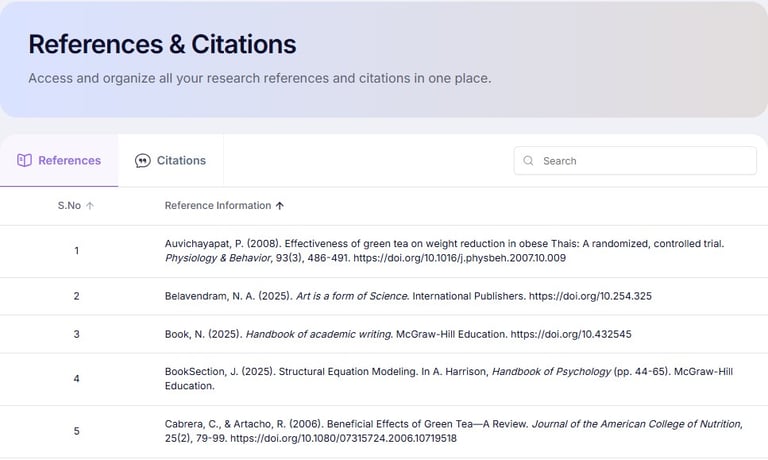
References and Citations
Generate and manage in-text citations and reference lists accurately, ensuring compliance with academic standards and maintaining consistency across an entire research document.
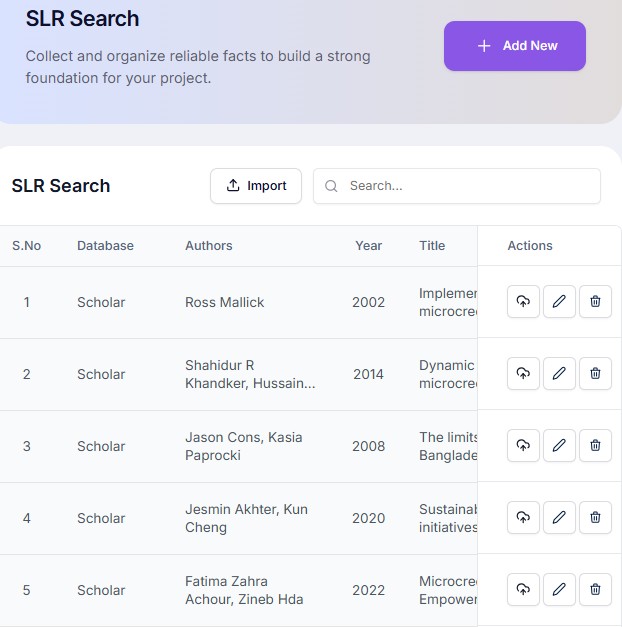
SLR Search
Import multiple references and construct a PRISMA type chart based on reference data available, and other criteria such as database, authors, year, title, etc..
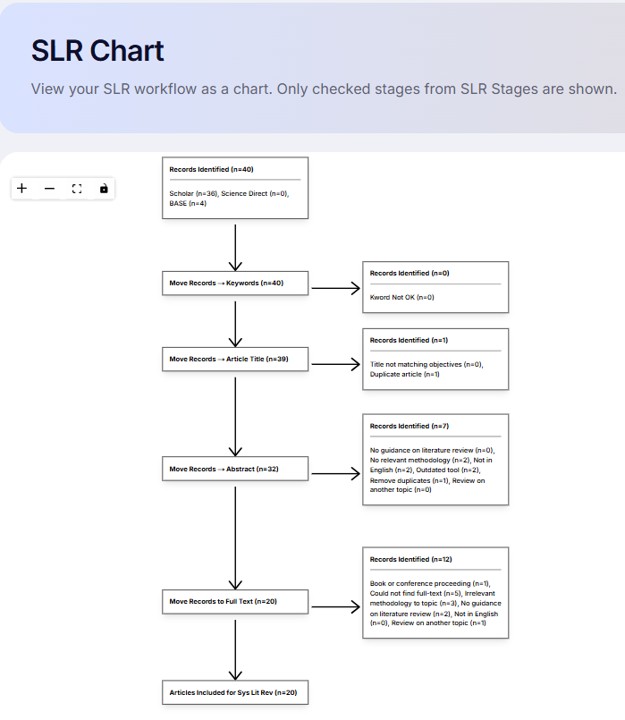
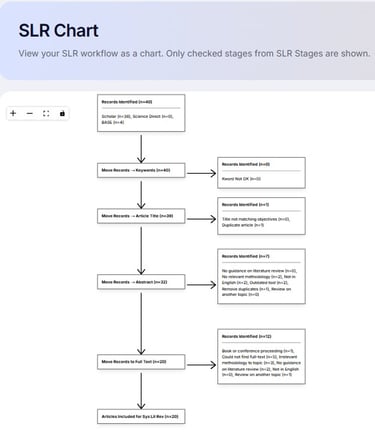
SLR Chart
Visualise the systematic literature review process through a structured chart, showing the progression from initial search results to final selected studies, ensuring transparency and methodological clarity.